

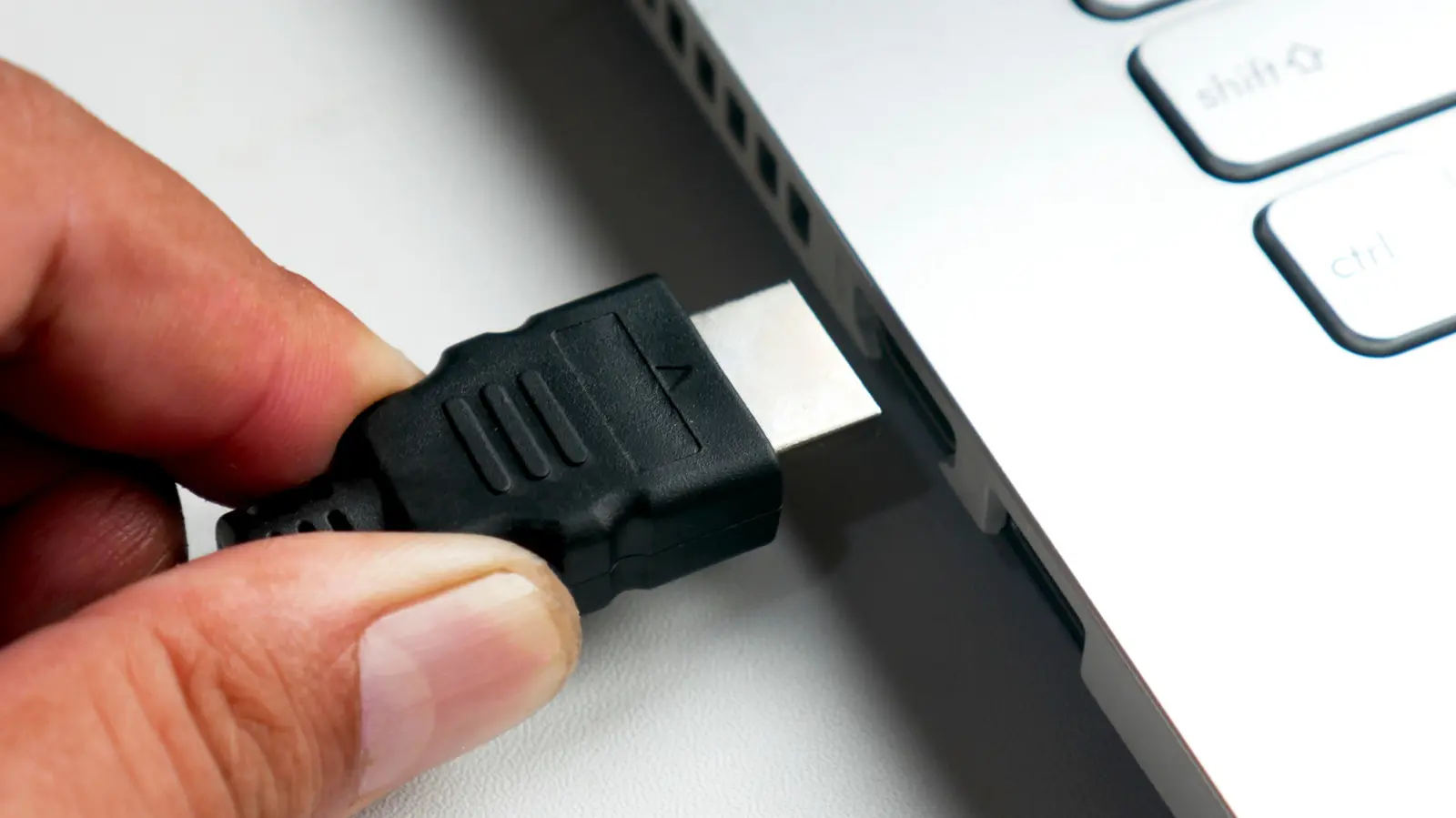
When browsing some of the best laptops you can buy in 2026, it's a good idea to check whether the model has an HDMI port. More specifically, you're looking for an HDMI output that sends video and audio from your laptop to an external display. While this is the most common HDMI port on a laptop, it's not always installed on every model due in part to the popularity of other connection types. This shift reflects broader trends in the consumer electronics industry, where manufacturers prioritize sleek, portable designs over legacy ports. The absence of HDMI may surprise users accustomed to plugging their laptop directly into a monitor or TV, but the reasoning behind it is rooted in both technological advancements and market demands.
The Rise of USB-C and Its Versatility
One of the primary replacements for HDMI is the USB-C port, which has been widely adopted by many manufacturers. That's because the USB-C port can handle multiple functions through a single connector. Depending on the specification, a USB-C port can output video and audio to an external display similar to HDMI. This allows manufacturers to provide display connectivity without using an HDMI port. USB-C can also transfer data and often charge the laptop as well. Because of this port's versatility, some laptop companies choose to remove HDMI capability. The USB-C standard, introduced in 2014, was designed to unify connections for power, data, and video. Over the years, it has evolved to support higher power delivery (up to 240W with USB PD 3.1) and faster data transfer speeds (up to 40 Gbps with USB4). For many users, a single USB-C port can replace a handful of older connectors, reducing clutter and simplifying cable management. However, not all USB-C ports are created equal; some only support data transfer or charging, so buyers must check specifications before assuming video output capability.
Thunderbolt Technology: A Step Beyond USB-C
When checking a new laptop for either an HDMI or USB-C port, you may also see a mention of Thunderbolt technology. Modern Thunderbolt technology (version 3 and newer) is actually not a standalone port, as it uses the same USB-C connector. However, it does offer additional features, including support for multiple external displays and faster data transfer. It also allows a laptop to connect to a docking station. Because of this additional capability, Thunderbolt tech has become a popular option for laptop manufacturers. Thunderbolt 4, which emerged in 2020, guarantees minimum bandwidth of 32 Gbps for data and 8 Gbps for video, along with support for two 4K displays or one 8K display. Laptops equipped with Thunderbolt ports can daisy-chain multiple devices, such as external storage, monitors, and peripherals, through a single cable. This makes Thunderbolt especially attractive for professionals in content creation, software development, and scientific research who need high-throughput connectivity. The integration of Thunderbolt into USB-C has also simplified certification processes, encouraging more laptop models to adopt the standard. However, Thunderbolt is not universally available; it often requires Intel processors or separate controllers, adding to manufacturing costs. As a result, budget-friendly laptops may still rely on older USB-C standards or traditional HDMI ports.
Design Trade-Offs: Thinness vs. Connectivity
Some manufacturers have also moved away from HDMI ports as a design choice, allowing laptops to become thinner and lighter overall. Despite this move, HDMI is still a common feature for today's models. In fact, many new laptops continue to use HDMI as the primary way to connect to an external monitor or TV. Some laptops can even feature both HDMI and USB-C, giving users more connectivity options. The pursuit of ultra-thin profiles, often under 15mm, has forced engineers to reconsider every millimeter of internal space. Traditional HDMI ports require a relatively large connector and dedicated circuitry, which can add thickness to the laptop chassis. In contrast, USB-C and Thunderbolt ports have smaller footprints and can be placed on thinner edges. Some manufacturers, such as Apple with its MacBook Air, have eliminated all dedicated video ports, relying solely on USB-C/Thunderbolt. Others, like Dell XPS and Lenovo ThinkPad lines, offer a mix of ports to cater to both traditional and modern users. The trade-off is clear: thinner laptops often require users to carry dongles or hubs to connect legacy devices. For example, a USB-C to HDMI adapter is a common accessory, but it adds extra cost and can be easily misplaced. Additionally, using multiple adapters can clutter a workspace and reduce portability, the very reason users chose a thin laptop in the first place.
Impact on Consumers: Repairs, Upgrades, and Future-Proofing
While the absence of an HDMI port helps make some modern laptops thinner, there are some trade-offs you should consider when buying. Depending on what you're connecting to your laptop, you will need an adapter or a multi-port hub for devices that use HDMI. This means more money out of your pocket, as multiple external devices may each have a different connector. The problem extends beyond adapters: many thin laptops also feature soldered components, such as RAM and storage, which cannot be upgraded or easily replaced. In addition to removing HDMI ports, some manufacturers have also used internal components that are soldered directly to the laptop's motherboard. This is done in part to save space, thereby contributing to the laptop's thinner design. The problem is that this move can make repairs difficult to perform and also limit the ability to perform future upgrades. This means that some laptops are less flexible than others, which could become an issue down the road. For instance, a user who needs more RAM a few years after purchase may be forced to buy an entirely new laptop if the memory is soldered. Similarly, a faulty USB-C port might require replacing the entire motherboard, compared to the simpler replacement of an independent HDMI port. These design choices prioritize aesthetics and slimness over longevity and repairability. Consumers should weigh their need for portability against the potential cost of adapters and the inability to upgrade. It's also worth noting that the shift to USB-C has sparked industry-wide discussions about right-to-repair and e-waste, as many devices become harder to service. Some advocacy groups push for standardized interchangeable ports to reduce electronic waste, but manufacturers often resist due to design constraints.
Historical Context: The Evolution of Display Interfaces
To fully understand the omission of HDMI, it helps to look at how display interfaces have evolved. HDMI (High-Definition Multimedia Interface) was introduced in 2002 as a replacement for older analog standards like VGA and component video. It quickly became the standard for connecting consumer electronics, from TVs to gaming consoles and laptops. For nearly two decades, HDMI was the go-to port for video transmission. However, the rise of digital displays and the need for higher resolutions (4K, 8K) pushed the industry toward more versatile connections. DisplayPort, introduced in 2006, offered higher bandwidth and daisy-chaining capabilities, but it never achieved the same consumer penetration as HDMI. Meanwhile, USB-C emerged as a universal connector that could handle power, data, and video, reducing the number of ports needed. The USB Implementers Forum (USB-IF) worked with Intel and other partners to integrate DisplayPort Alt Mode into USB-C, allowing video signals to pass through the same cable. This convergence meant that manufacturers could drop HDMI and DisplayPort ports entirely, relying solely on USB-C. Thunderbolt, originally developed by Intel and Apple, further accelerated this trend by offering even higher performance. As of 2026, many flagship laptops from major brands—including the latest MacBook Pro, Dell XPS 15, and HP Spectre x360—offer only USB-C/Thunderbolt ports. However, HDMI remains prevalent in gaming laptops and business notebooks that target compatibility with legacy projectors and monitors in offices and conference rooms.
The Consumer Perspective: What to Look For
For the average buyer, the absence of an HDMI port is not necessarily a dealbreaker, but it requires careful planning. First, check the specifications of the USB-C ports: do they support DisplayPort Alt Mode? If so, you can connect directly to a monitor with a USB-C to HDMI cable or adapter. Second, consider your typical display usage: if you frequently present in conference rooms with older HDMI projectors, a laptop with a built-in HDMI port might be more convenient. Alternatively, a multi-port hub with HDMI, Ethernet, and SD card reader can serve as a portable dock. Third, look for laptops that offer both HDMI and USB-C, such as the Lenovo ThinkPad X1 Carbon or ASUS ZenBook series. These provide backward compatibility without sacrificing modern features. Finally, think about future-proofing: Thunderbolt 4 and USB4 are compatible across devices, and a laptop with these standards will likely support upcoming monitors and peripherals. Many industry analysts predict that wireless display technologies, such as Wi-Fi 7 and 60 GHz millimeter wave, may eventually replace physical cables altogether. However, for now, wires remain the most reliable way to achieve high-bandwidth, low-latency connections. Given the rapid pace of change, it's wise to choose a laptop that balances portability with the ports you actually need today, while leaving room for adapters if necessary. The decision ultimately depends on your personal usage patterns and tolerance for carrying extra accessories.
In summary, the move away from HDMI ports in laptops is driven by the versatility of USB-C and Thunderbolt, the desire for thinner designs, and the push toward universal standards. While this shift offers undeniable benefits in terms of portability and simplification, it also imposes costs in terms of adapters, repairability, and upgradeability. As the laptop market continues to evolve, consumers must stay informed and make choices aligned with their specific needs. Whether you embrace the all-USB-C future or cling to the familiar HDMI port, understanding the trade-offs ensures you select a device that serves you well over the long term.
Source:SlashGear News