

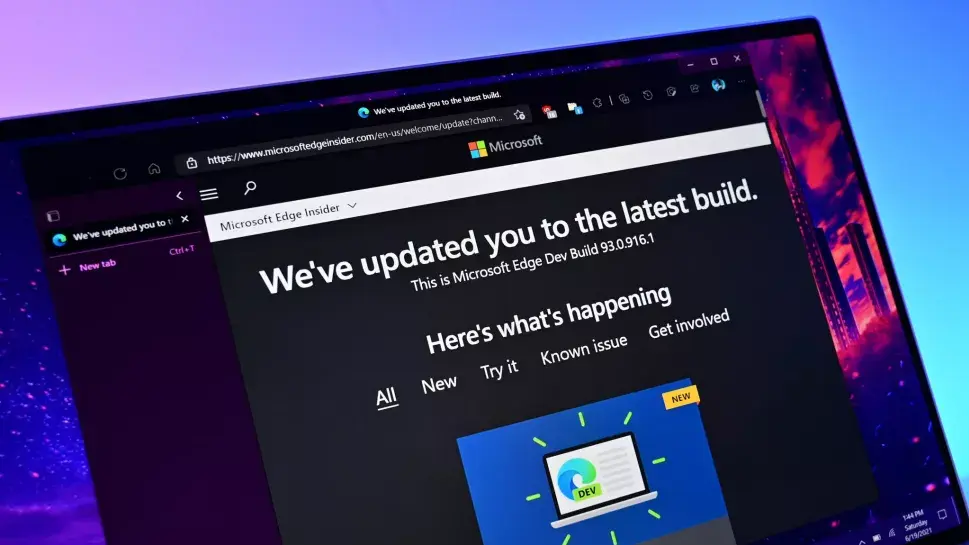
Microsoft Edge is evolving once again. The latest update to the Chromium-based browser brings two significant additions: support for Apple sign-in and an upgraded scam protection system. At the same time, Microsoft is officially ending two features that never gained widespread traction: Edge Drop and real-time video translation. The move underscores Microsoft's strategy of doubling down on security and cross-platform usability while trimming underused tools.
Sign in with Apple comes to Microsoft Edge
One of the most noticeable changes in this update is the ability to sign in to Microsoft Edge using your Apple ID. The new 'Sign in with Apple' option joins existing authentication methods such as Microsoft accounts, Google accounts, and email-based sign-ins. This is part of Microsoft's broader effort to make Edge more accessible to users who prefer using their Apple identity across the web.
For users in the Apple ecosystem, this eliminates the need to create yet another account or remember a separate password. It also means that syncing settings, favorites, and extensions becomes more convenient for Mac, iPhone, and iPad users who rely on Safari but sometimes switch to Edge for specific tasks. The integration relies on standard OAuth protocols, ensuring that users can authenticate securely without sharing their Apple password with Microsoft.
This move is not entirely surprising. Microsoft has been improving Edge's cross-platform appeal for years. The browser already supports Windows, macOS, Linux, iOS, and Android. By adding Apple sign-in, Microsoft lowers the friction for iOS and macOS users who might otherwise stick with Safari. It also aligns with Edge's growing focus on productivity and continuity across devices.
How Apple sign-in works in Edge
When you choose the Apple sign-in option, Edge redirects you to Apple's authentication page. After you enter your Apple ID credentials and complete two-factor authentication, Apple sends a secure token back to Edge. Microsoft never receives your password, only the token and the email address associated with your Apple ID. You can also choose to hide your email address if you prefer, giving you an extra layer of privacy.
Once signed in, you can use the same profile across all your devices. That includes access to your browsing history, saved passwords, open tabs, and extensions. The feature is rolling out gradually, so not all users may see it immediately. To check if it's available, go to Edge's profile settings and look for the sign-in options.
Enhanced scam protection in Microsoft Edge
Another key addition is a more robust scam protection system. Microsoft has long included built-in protections against phishing and malicious websites, but this update goes a step further. The browser now uses more advanced heuristics and machine learning models to identify scam pages, deceptive downloads, and suspicious links in real time.
The upgraded protection aims to catch not just known phishing sites but also newly emerging threats that haven't yet been indexed by security databases. This proactive approach is critical in an era where phishing attacks are becoming increasingly sophisticated. Many scammers now use HTTPS, subdomain trickery, and even credentials supplied by official-looking password managers to appear legitimate.
Microsoft's Edge now also provides clearer warnings when you visit a suspicious site. Instead of a generic 'This site might be unsafe' message, you may see specific reasons why the page was flagged. For example, Edge might warn that the site is impersonating a known brand, that the download file contains malware, or that the page is trying to trick you into sharing personal information.
What has changed in scam protection
Previously, Edge relied heavily on Microsoft Defender SmartScreen's blocklists and a set of signatures. Now, the system analyzes the behavior of scripts and page elements in real time. It looks for patterns that are commonly found in scams, such as fake login pages, browser-in-the-browser attacks, and fraudulent payment forms. If a page attempts to enter full-screen mode unexpectedly or hides its address bar, Edge may automatically block it or warn the user.
The new protection also extends to notification permissions. Scammers often abuse push notifications to display fake antivirus alerts or lottery winnings. Edge now automatically blocks notification requests from sites that appear to be malicious, and it gives users a clearer option to report deceptive content.
According to Microsoft, these changes were driven by a rise in tech-support scams and phishing attempts that target Edge users. The company says the improved system has already shown a measurable decrease in the number of users who fall victim to these attacks during the testing phase.
Edge Drop is officially discontinued
On the less-positive side, Microsoft has announced the discontinuation of Edge Drop, a feature that allowed users to send files, notes, and tasks across their devices via a built-in cloud storage locker. Edge Drop was introduced in 2023 and was designed as a convenient way to share content between a Windows PC, Mac, Android phone, and iPhone without using a separate messaging app or email.
However, the feature never became very popular. Many users found it redundant because alternatives like OneDrive, Microsoft Teams, and even simple 'Send to my devices' functions in other browsers already covered the use case. Edge Drop also required a Microsoft account with OneDrive storage, and the experience was not always smooth, especially when transferring larger files or folders.
Microsoft has now officially ended Edge Drop. The feature will be removed from the browser in a future update, likely within the next few months. Users who have stored files or notes in Edge Drop are advised to download them before the feature is permanently disabled. Microsoft says it will show a migration notice in the browser to help users retrieve their data.
Why Edge Drop failed
Several factors contributed to Edge Drop's demise. First, it was hidden inside the browser's sidebar, making it less discoverable. Many users never found it. Second, it didn't offer anything unique that couldn't be done with existing services. OneDrive already works with Edge's built-in upload and download features. For tasks and notes, Microsoft has To Do and OneNote.
Thirrd, there were technical limitations. Edge Drop had a file size limit and was not optimized for large folders or multi-file transfers. Users who tried to use it for serious work often encountered syncing delays or missing items. Microsoft likely decided that maintaining such a feature was not worth the engineering cost, especially when they want to focus resources on AI integration and security enhancements.
Real-time video translation removed
Another feature being cut is real-time video translation. This was a much-heralded capability that Microsoft began testing in 2024. It allowed users to watch online videos in foreign languages with real-time translated subtitles and even dubbed audio. The feature was initially demonstrated as a powerful tool for language learners and global content consumers.
However, the feature has now been officially removed. Microsoft hasn't provided a detailed reason, but it likely struggled with accuracy across many language pairs. Real-time translation of spoken language is notoriously difficult, especially when videos include background noise, multiple speakers, or technical jargon. While Edge's built-in translator handles webpage text well, live video translation requires a different level of speech recognition and natural language processing.
Additionally, the computational cost of real-time translation on a wide range of devices may have been too high. Running speech-to-text and language translation locally would drain battery life, while sending audio to the cloud would raise privacy concerns. Microsoft may have decided that the feature was not ready for prime time, or that it didn't see enough usage during the preview phase.
Users who relied on this feature will need to use third-party tools or other services for translating video content. Some Chrome extensions offer similar functionality, but they are not as seamless as a native browser feature. Microsoft has not announced any plans to bring back video translation in the future, but it may continue to refine its AI models and reintroduce the feature later.
What this means for Edge users
The latest update shows that Microsoft is willing to make tough decisions about Edge's feature set. Adding Apple sign-in and improving scam protection are clearly moves to attract new users and keep existing ones safe. Cutting Edge Drop and real-time video translation, on the other hand, demonstrates that Microsoft will not let unneeded features drag down the browser's performance or user experience.
For regular users, the removal of Edge Drop may require a small adjustment. If you have anything stored in Drop, now is the time to download it. The same applies to any translations you might have had cached in the old video translation feature. Microsoft has promised to provide clear prompts in the browser before the features are fully removed.
For IT administrators and businesses, the changes are mostly positive. Scam protection improvements mean fewer phishing incidents on managed devices. The addition of Apple sign-in may simplify identity management for companies that allow employees to use personal Apple IDs alongside work profiles.
Looking ahead
Microsoft Edge continues to evolve as both a modern browser and a conduit for Microsoft's broader services. The company's focus on AI-powered tools like Copilot in Edge is likely to remain the centerpiece of future updates. Security and cross-device synchronization will continue to receive attention, while features that do not deliver clear value will be cut or replaced.
Edge is not the only browser to make such changes. Chrome, Firefox, and Safari commonly add or remove features based on usage metrics and strategic priorities. The difference is that Microsoft has a very large ecosystem of productivity tools, so Edge is more likely to integrate with Outlook, Teams, and OneDrive than its competitors.
For now, users can look forward to a cleaner, safer, and more convenient browsing experience. Apple sign-in makes it easier to get started. Scam protection keeps you safer. And the removal of Edge Drop and real-time video translation may actually be a relief if you never used those features in the first place. The browser remains a solid choice for those who value integration with Microsoft services, and this update further reinforces that position.
Source:Windows Central News