

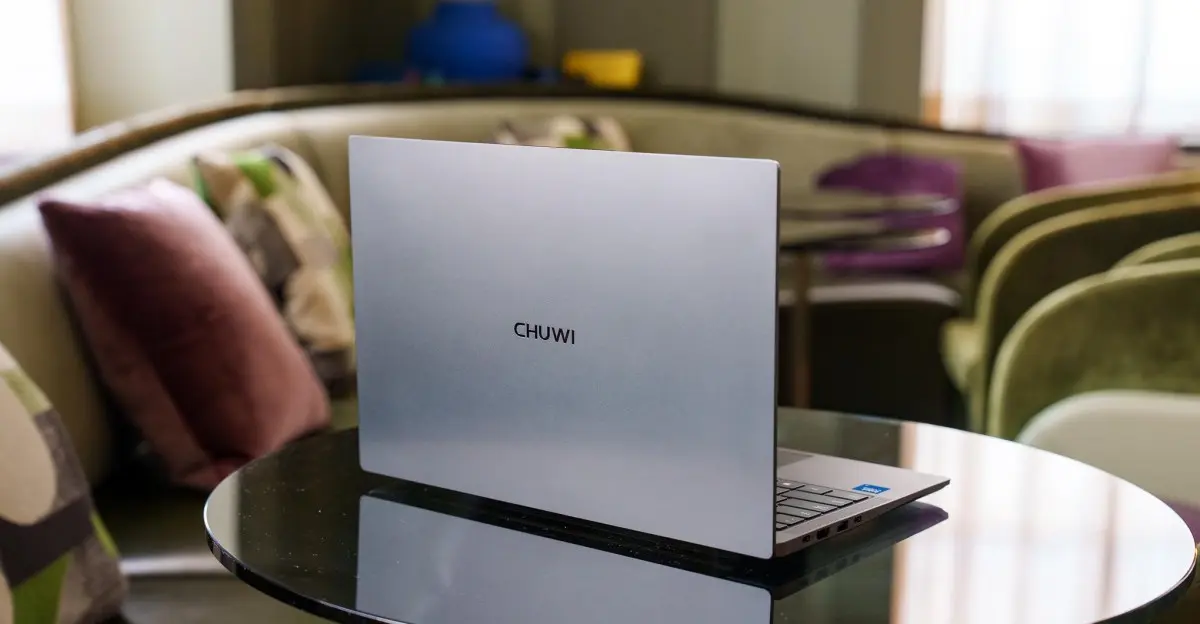
Finding a good laptop under $500 has always been a challenge, but it's become even harder in recent years as RAM and storage prices have climbed. For a long time, budget Windows laptops were plagued by cheap plastic builds, underpowered processors, and outdated components. That's why the MacBook Neo's arrival was such a shock: it offered premium build quality and solid performance at a starting price of $599. Windows rivals simply couldn't compete, and even after a price hike to $699, the Neo remains the benchmark for affordable laptops.
So when Chuwi, a relatively unknown Chinese brand, announced a $450 Windows laptop with an aluminum chassis and a brand-new Intel Wildcat Lake processor, it sounded almost too good to be true. As it turns out, it was. The Chuwi UniBook, despite its attractive price tag and promising spec sheet, delivers an experience that's hard to recommend to anyone, even those on the tightest budgets.
What the Chuwi UniBook offers
The UniBook comes in just one configuration, which keeps things simple. It packs a 14-inch 1920 x 1200 IPS display, an Intel Core 3 304 processor from the new Wildcat Lake family, 8GB of soldered LPDDR5 RAM, and a user-swappable 256GB M.2 SSD. At $449, it's one of the cheapest laptops with such a modern chip, but the hardware choices reveal why it's so affordable.
The Intel Core 3 304 is the lowest-tier Wildcat Lake chip available. It features just five CPU cores: one performance core and four low-power efficiency cores. By comparison, the MacBook Neo's A18 Pro is a six-core CPU with five GPU cores, and it's significantly more powerful. The UniBook's integrated graphics are even more modest, with just a single GPU core, making it woefully underpowered for anything beyond basic tasks like web browsing, word processing, and streaming.
Performance: Sluggish under even light loads
During testing, the UniBook felt sluggish from the moment it was set up. Simple operations like opening applications or switching between browser tabs often took a noticeable beat longer than they should. Benchmark scores confirmed what hands-on use suggested: the UniBook is far behind its rivals. In Geekbench 6, it scored 2,385 in single-core and 6,187 in multi-core, while the MacBook Neo scored 3,402 and 7,850 respectively. The gap in graphics performance was even starker, with the UniBook managing just 6,019 in the GPU test compared to the Neo's 19,798.
For anyone considering video editing, this is not the machine for you. In a Premiere 4K export test, the UniBook took over an hour and nine minutes to complete a task that the MacBook Neo finished in just eight minutes and thirty seconds. Even the recent 13-inch Surface Laptop, which also struggled with 8GB of RAM, managed to get through the test without crashing. The UniBook did not crash, but it was painfully slow.
The 8GB of soldered RAM is another major issue. Windows 11 uses anywhere from 4.6 to over 5GB of memory after a fresh reboot with no applications open. With just a half dozen Chrome tabs, a couple of messaging apps, and a music streaming service running, memory usage easily climbs to 7GB. Push it further with more than 20 tabs across multiple virtual desktops, and Chrome will likely crash. Even performing simple file transfers while importing photos into Lightroom Classic caused the system to slow to a crawl, with the Start menu and calculator app struggling to load until the bottlenecks eased.
Hardware: Where the compromises really hurt
The UniBook's build quality is a mixed bag. The aluminum chassis looks decent from a distance, but it feels cheap in the hand, with plenty of flex in the keyboard deck and lid. The trackpad is arguably the worst offender. It's incredibly stiff to click, requiring so much pressure that the entire chassis bends slightly under your finger. Tapping works, but it's also cumbersome, especially when trying to execute right-clicks or drag-and-drop actions. Using this trackpad for an extended period is physically tiring, which is a serious problem for a device meant to be used daily.
The display is another shortcoming. It covers just 64 percent of the sRGB color space, leading to washed-out colors, and its 300 nits peak brightness is too dim for comfortable use in anything other than a dark room. The webcam is a 720p unit that produces low-resolution, green-tinted images in good lighting and turns you into a dark blur in dim conditions. Colleagues will quickly notice you're on the Chuwi, and not in a good way.
The speakers are equally disappointing. They're tinny, lack any semblance of bass, and distort at moderate volumes. Even the speakers on a modern smartphone offer fuller sound. For anyone who enjoys watching videos or listening to music on a laptop, this is a major drawback.
The good: Battery life and ports
Amid the disappointment, there are a couple of bright spots. The UniBook delivers up to 10 hours of battery life during light tasks like emailing, casual web browsing, and reading PDFs. That's genuinely impressive for a budget laptop and easily gets you through a full work or school day. The keyboard is also not bad, though it's a bit spongy compared to the MacBook Neo's and many other Windows laptops. It's backlit, which is a welcome feature at this price, but the lack of a function lock means adjusting brightness or volume often requires holding the Fn key.
The port selection is another area where the UniBook surprisingly excels. It offers five USB ports in total, including two USB-C 3.2 Gen 1 ports, two USB-A 3.2 Gen 1 ports, and one USB-A 2.0 port, along with HDMI, microSD, and even an RJ-45 ethernet jack. That's more connectivity than many thin-and-light laptops, but the ports are not particularly fast. All USB ports top out at 5Gbps, and the HDMI output is only 1.4b, which tops out at 30Hz in 4K. While the selection is generous, the performance is underwhelming.
Customer support and trust concerns
One of the biggest risks with buying a laptop from an unknown brand is long-term support. Chuwi does not appear to have US-based customer service or repair centers, which could be a major issue if something goes wrong. The company's track record also raises red flags. In early 2026, Chuwi was discovered to have shipped laptops and mini PCs with older AMD chips that were disguised as newer, faster processors, even at the BIOS level. The company eventually blamed a “production error” and offered limited-time refunds, but the incident does little to inspire confidence in a brand that's already unproven.
How it compares to the competition
To put the UniBook's shortcomings in perspective, consider what else is available in the budget market. The MacBook Neo, despite its higher price, offers dramatically better performance, a superior display, and a much better trackpad. For those who need Windows, the Lenovo IdeaPad Slim 3x with a Snapdragon X processor often sells for around $750 and includes 16GB of RAM and a 256GB SSD, making it a far more capable machine. The Acer Aspire 14 AI, which can frequently be found for around $600, also outclasses the Chuwi with its Intel Lunar Lake chip, twice the RAM, and faster ports.
Even upcoming budget laptops with higher-end Wildcat Lake chips are expected to offer better value. Microsoft has also claimed it's working on improving Windows 11's performance with 8GB of RAM, which could help future budget machines, but it won't do anything for the UniBook's other hardware problems.
At $449, the UniBook might seem like a steal, but the compromises are simply too severe. It's a laptop that makes you work for every click, squint at every image, and tolerate crashes under moderate load. There's a need for better budget laptops, and it's encouraging to see new processors enter the race, but the Chuwi UniBook is not the answer. You'd be better served by spending a little more on a machine that won't make every task feel like a chore.
Source:The Verge News