

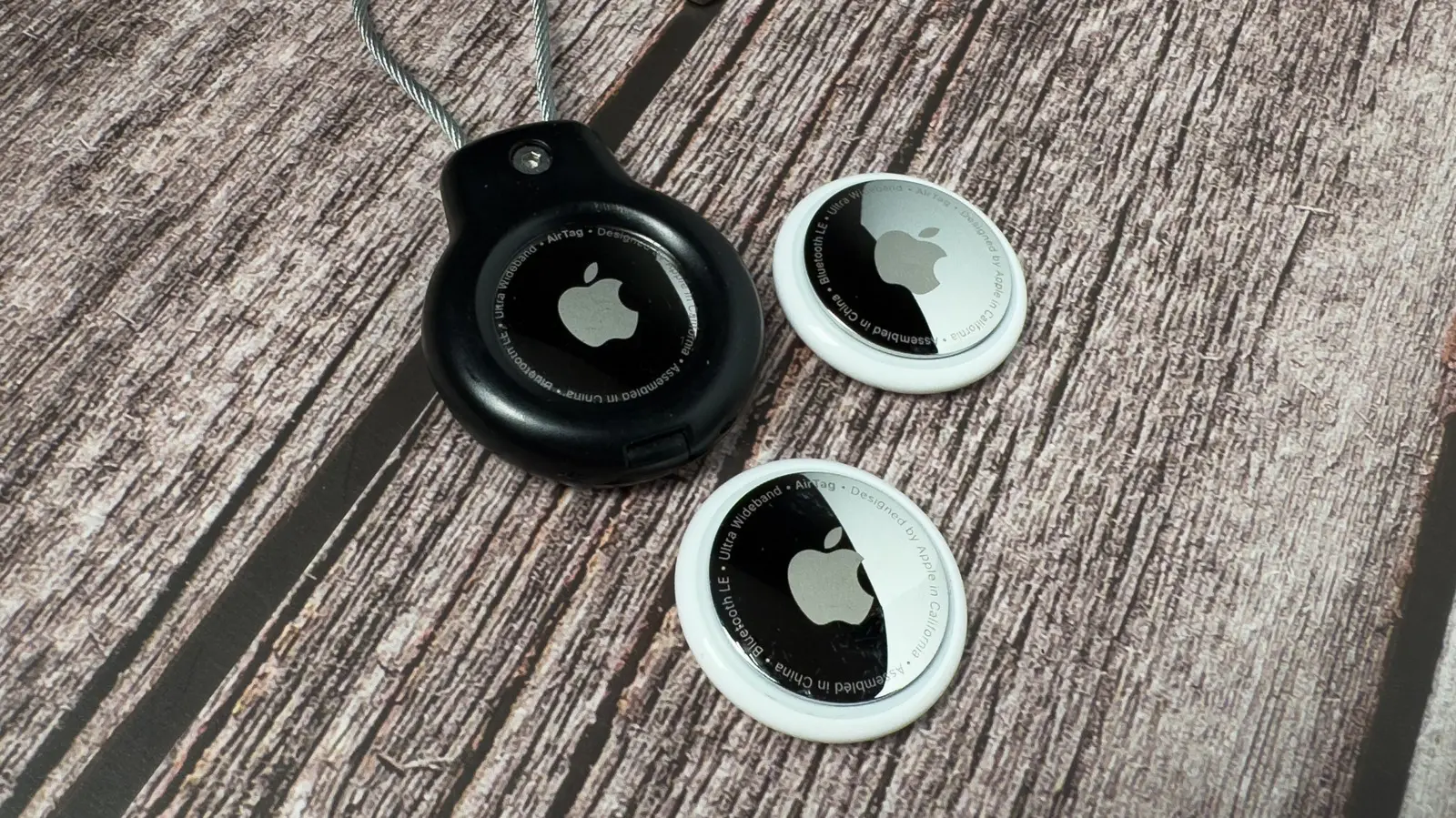
In an increasingly mobile world, losing personal belongings like keys, wallets, or bags has become a common frustration. Apple’s AirTag, a small Bluetooth tracking device, offers a reliable solution by integrating seamlessly with the Find My app. However, many users wonder: how many AirTags can you actually connect to a single Apple Account? The answer is straightforward: you can connect up to 32 items that use Apple’s Find My network, and AirTags are among the most popular of these items.
The 32-item limit is not exclusive to AirTags; it applies to all compatible devices that can be tracked through the Find My app. This includes AirPods, third-party accessories that support the Find My network, and even some recently released smart tags from other manufacturers that have joined Apple’s ecosystem. It’s important to note that some devices count as multiple items. For example, a set of AirPods Pro 2 can occupy up to three slots: one for each earbud and one for the charging case. Similarly, newer models of AirPods Max may count as a single item, but the specific count depends on how Apple’s tracking firmware handles the device.
If you exceed the 32-item limit, your iPhone will display a warning message prompting you to manage your inventory. You can easily access the Find My app, tap on the Items tab, and review the list of all connected accessories. From there, you can remove any devices you no longer need—such as an old AirTag assigned to a bag you sold, or a pair of AirPods you no longer use. Once removed, you can freely add new AirTags or other items up to the limit.
How to Add an AirTag to Your Account
Adding an AirTag is a straightforward process designed to be as frictionless as possible. When you unbox a new AirTag, hold it near your iPhone or iPad. A pop-up will appear on the screen, and you can follow the on-screen instructions to pair it with your Apple ID. This automatic setup uses the same streamlined process as AirPods or HomePod mini. Alternatively, you can manually add an AirTag by opening the Find My app, selecting the Items tab, tapping the Add button (+), and choosing “Add AirTag or Other Item.” The app will then prompt you to search for nearby Bluetooth signals.
The Find My app also supports third-party items, which means you can track a wide range of gadgets—from smart water bottles to luggage tags—all within the same interface. This flexibility makes the Find My network one of the most comprehensive tracking ecosystems available today.
Second-Generation AirTag: Enhanced Tracking Capabilities
In January 2026, Apple released the second-generation AirTag, bringing several significant improvements over the original model that launched in 2021. The most notable upgrade is the inclusion of Apple’s latest Ultra Wideband (UWB) chip, which dramatically improves Precision Finding. This feature uses UWB technology to provide precise distance and direction to a lost item, and with the new chip, the effective range is up to 50% farther than before. That means you can locate your keys from across a large room or even from another floor of a building with greater accuracy.
Bluetooth hardware has also been upgraded in the second-generation AirTag. The improved Bluetooth chip increases the maximum detection distance, ensuring that even if your AirTag is far away from your iPhone, other Apple devices in the Find My network can pick up its signal. This crowd-sourced network is one of Apple’s strongest assets, with hundreds of millions of iPhones, iPads, and Macs acting as anonymous relays to help locate lost items.
Another practical enhancement is the redesigned internal speaker. The new speaker is 50% louder than the previous model, making it much easier to hear the chirping sound when you’re searching for a hidden or buried item. This is particularly useful if you’ve dropped your keys in a couch cushion or under a bed. The louder speaker also helps in noisy environments, such as a busy street or a crowded airport.
Share Item Location: New in 2026
The second-generation AirTag introduces the Share Item Location feature, which allows you to temporarily share the location of a lost item with trusted contacts or even with participating airlines and third-party organizations. For instance, if you lose your luggage while traveling, you can generate a temporary link that shares the AirTag’s location with the airline’s lost-and-found department. This link is time-limited and automatically expires once you recover your item, thereby protecting your privacy. The feature also supports sharing with friends or family members who might be helping you search.
Privacy has always been a core concern for Apple, and the second-generation AirTag includes several safeguards to prevent unwanted tracking. For example, if an AirTag that isn’t registered to you is traveling with you, your iPhone will detect it and alert you after a certain period. Android users can also detect unknown AirTags using a dedicated app. These measures ensure that AirTags are used ethically and only for tracking your own belongings.
Background on AirTags and the Find My Network
Apple introduced the first AirTag in April 2021, entering the competitive Bluetooth tracker market dominated by Tile and Samsung. What set AirTags apart was their deep integration with Apple’s ecosystem and the use of the vast Find My network. Unlike traditional trackers that rely on a single app with limited user base, AirTags leverage every Apple device in the world to anonymously report lost item locations. This network effect makes AirTags exceptionally effective in urban areas or places with high population density.
Over the years, Apple has updated the Find My app with features like Lost Mode, which sends a notification when your AirTag is located, and NFC tap for contact information if someone finds your lost item. The second-generation model builds on this foundation with hardware improvements and new software capabilities.
For those considering purchasing multiple AirTags, it’s worth planning your inventory to stay within the 32-item limit. A common use case is to assign one AirTag to each keychain, another to a wallet, one to a backpack, and perhaps a few more to luggage, remote controls, or even your pet’s collar (though Apple advises against tracking pets with AirTags due to safety concerns). If you use AirPods, remember that a single pair may consume multiple slots. To avoid reaching the limit unexpectedly, periodically review your Find My items list and remove obsolete entries.
The second-generation AirTag also features a new finish and a keyring hole that is compatible with most standard accessories. Unlike the first model, which required users to purchase separate loops or key rings, the new design includes a built-in cutout that accommodates a wide range of straps and attachments. This small change simplifies the user experience and reduces the overall cost of outfitting multiple items.
Battery life remains unchanged: each AirTag uses a standard CR2032 coin battery that lasts about one year. Replacing the battery is simple, and the second-generation model has a redesigned battery compartment that is easier to open. Apple has also improved the battery contacts to prevent corrosion, a known issue with some earlier trackers.
As of mid-2026, the second-generation AirTag is available for the same price as the original—$29 for one or $99 for a four-pack. For users who are still using the first-generation AirTags, Apple continues to support them with firmware updates and full compatibility with the Find My app. However, the enhanced Precision Finding range and louder speaker may justify an upgrade for those who frequently misplace items in challenging environments.
In summary, the 32-item limit for Apple AirTags and other Find My accessories provides ample capacity for most users. By understanding how your devices count toward this limit and by taking advantage of the new features in the second-generation AirTag, you can keep track of your most important belongings with confidence and ease.
Source:SlashGear News